I built a smart light dial
I wanted a way to control my lights without reaching for my phone. So I turned a small Waveshare ESP32-S3 dial into a tactile controller for Home Assistant.
Here's the setup I used, rewritten as a generic starter you can make your own.
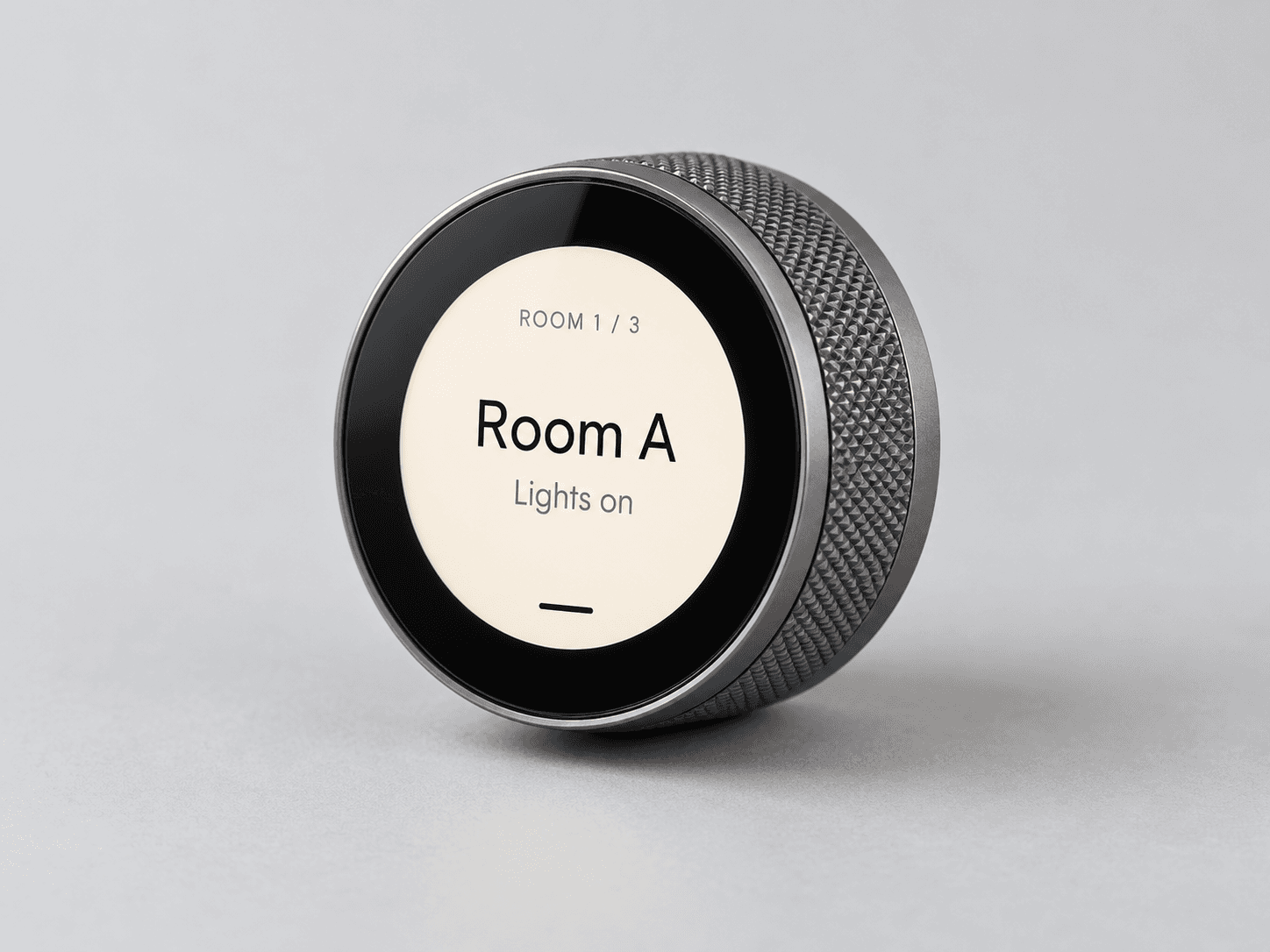
What you need
The dial is the only unusual piece of hardware. The rest is a USB connection, Wi-Fi, and a Home Assistant setup with lights you already control.
- 01Waveshare ESP32-S3 Knob Touch LCD 1.8 ↗
The round screen and rotary input. Check the hardware wiki for board details.
- 02USB-C cable and 5 V power
For the first flash and to run the dial. Follow Waveshare's power guidance.
- 032.4 GHz Wi-Fi and Home Assistant
Your lights need to be represented as Home Assistant light entities.
- 04ESPHome Device Builder or CLI
It compiles the firmware and installs it over USB, then supports future updates.
- 05Command Strip
That's how I attached the dial.
How it works
Turn to pick a room. Tap the screen to pick a lighting preset. Pause for three seconds and the dial sends one request to Home Assistant, which applies the matching scene.
Turn + tap
Move through rooms and presets on the dial.
ESPHome
Publishes a preset request over its encrypted native API.
Home Assistant
An automation applies a scene or turns that room off.
Lights + display
The light changes and its state appears on the dial.
My version uses three zones and five choices per zone: Cool Mode, Morning, Warm Fire Light, About to Sleep, and Off. The actual brightness and color settings live in Home Assistant scenes, so the same dial code can work with different lights.
Build it
The public repo includes the dial YAML, a private secrets template, and example Home Assistant helpers and automation. The placeholders are intentional: your Wi-Fi password, API key, rooms, and entity IDs should stay yours.
- 01
Get the starter and hardware
Pick up the Waveshare dial and clone the code repo. Install ESPHome if you haven't already.
- 02
Make a private secrets file
Copy
secrets.yaml.exampletosecrets.yaml. Enter your own 2.4 GHz Wi-Fi credentials and generate a unique API encryption key. The real file is ignored by Git. - 03
Map your rooms
Change the six example
entity_idvalues insmart-light-dial.yamlto your own three mode helpers and three light entities. Rename Room A/B/C labels if you like. - 04
Give Home Assistant the scenes
Create the five-option mode helpers and your own lighting scenes. Add the example automation, then check its dial
selectentity ID and scene names against what Home Assistant actually created. - 05
Flash and connect
Run
esphome config smart-light-dial.yaml, then connect the dial by USB and runesphome run smart-light-dial.yaml. Add it through the Home Assistant ESPHome integration using your private key. - 06
Attach it with a Command Strip
Once the USB cable is routed where you want it, stick the dial in place with a Command Strip. Clean the surfaces and follow the strip's instructions.
- 07
Test the whole loop
Turn, tap, pause, and watch the light respond. If it doesn't, check the dial's request entity, your automation trace, the scene IDs, and the six feedback entities.
Starter prompts for Codex
Once you have the dial, copy one of these prompts into Codex with the repo open. It should ask for your real entity IDs locally and keep them out of a public fork.
Adapt the rooms
I have the public starter at https://github.com/msteele3/waveshare-smart-light-dial. Read smart-light-dial.yaml and the Home Assistant examples first. Help me change Room A/B/C to my own room names and map my light and input_select entity IDs. Ask me for the entity IDs; do not invent them. Keep Wi-Fi credentials and API keys only in my local, ignored secrets.yaml. Show me the exact files changed and validate the ESPHome config.
Design my scenes
I'm using https://github.com/msteele3/waveshare-smart-light-dial with Home Assistant. Help me set up the four non-Off scenes for each room: Cool Mode, Morning, Warm Fire Light, and About to Sleep. First inspect or ask for my actual light entities and supported features. Suggest scene settings suited to those lights, explain how the example automation names scenes, and update its mappings if mine differ. Do not publish my entity IDs or network details.
Change the interaction
Review https://github.com/msteele3/waveshare-smart-light-dial before editing. I want to customize the smart dial's turn/tap behavior and its three-second pause before a preset applies. Explain the current ESPHome flow, propose the smallest change, then update the YAML and run esphome config. Preserve the encrypted API and OTA settings and never print or commit secrets.yaml or generated firmware.